Build the price.
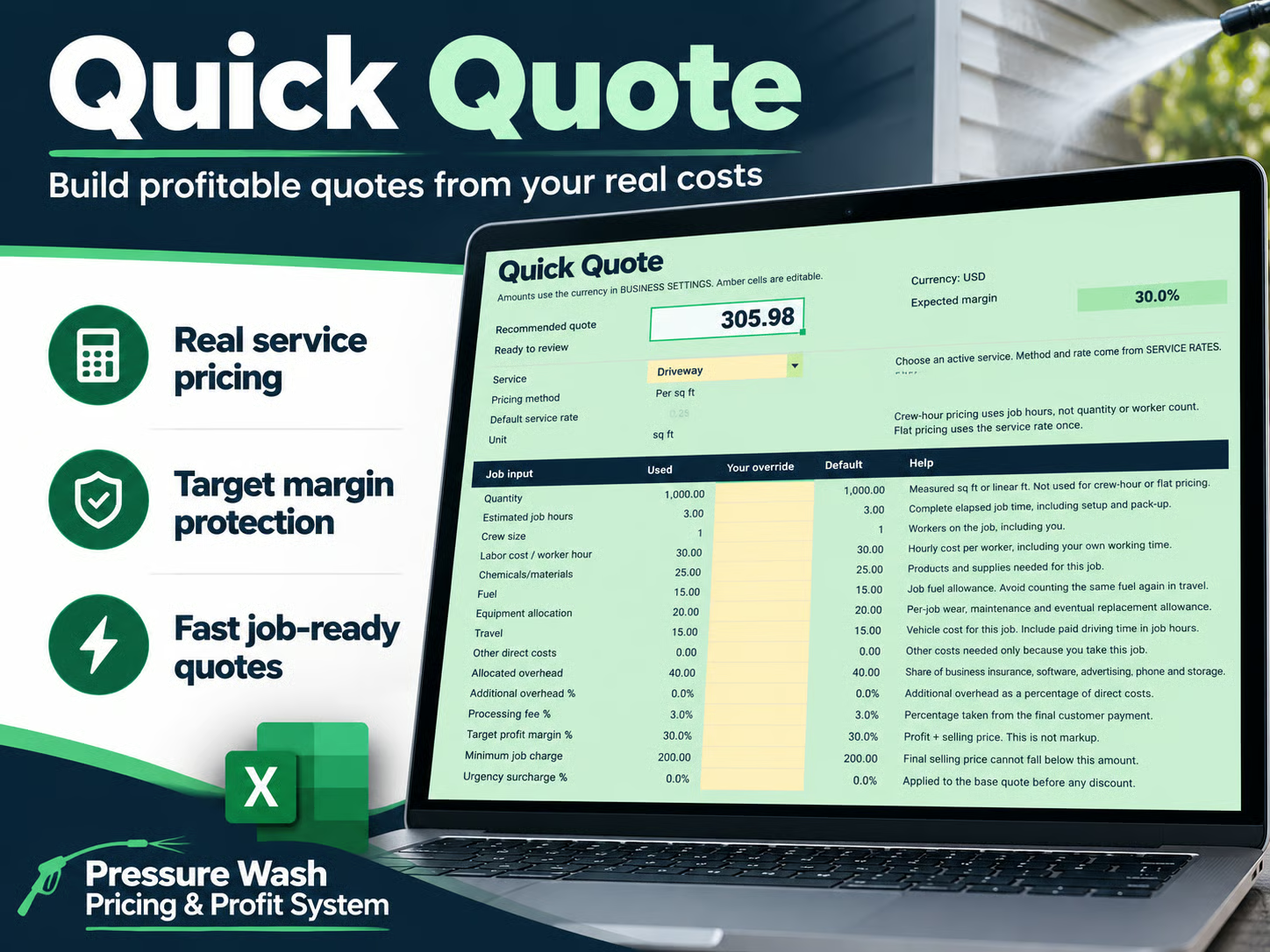
Use your real costs, service rates, minimum job charge, processing fees and target margin to build a recommended quote.
PRESSURE WASH PRICING & PROFIT SYSTEM
Build pressure washing quotes from your real costs, protect your target margin, and learn what each completed job actually earned.
Get the Complete Pricing System — $29One-time purchase. No subscription. Digital download.
KNOW WHAT THE WORK EARNS
Knowing what a competitor charges won’t tell you whether your price covers labor, chemicals, fuel, equipment, travel, overhead, payment processing and your target profit. Start with your own business costs and service rates.
ONE REPEATABLE WORKFLOW
Use your real costs, service rates, minimum job charge, processing fees and target margin to build a recommended quote.
Enter the completed job’s hours, labor, materials, fuel, equipment, travel and other costs.
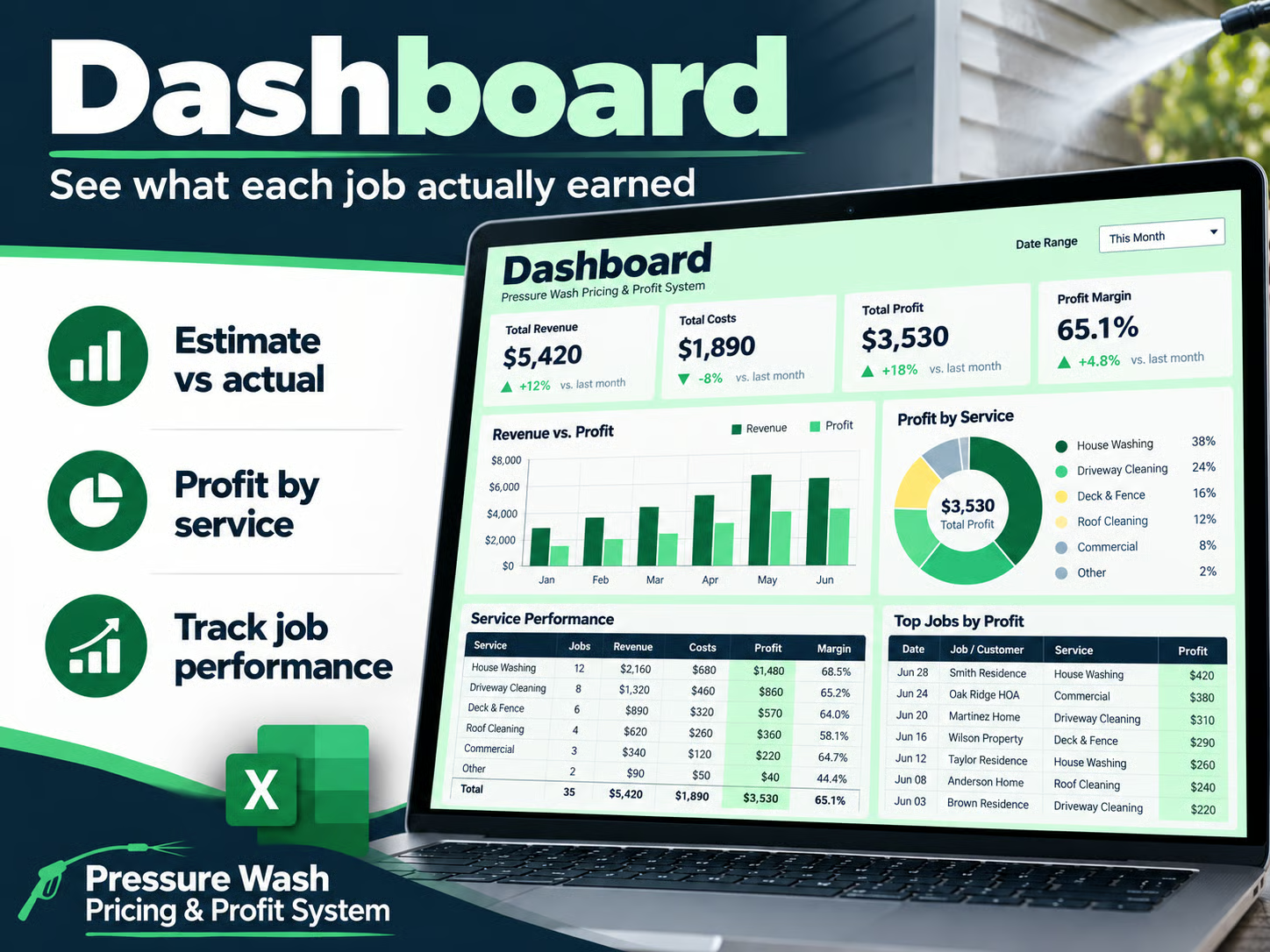
Compare estimate vs actual, review real job profitability and use what you learn to improve future pricing.
FROM FIRST QUOTE TO JOB HISTORY
Price a job using labor, materials, overhead, service rates and profit targets.
Build multi-service estimates and compare pricing against the cost and margin floor.
Compare what you expected with what the completed job actually required.
Review revenue, profit, margin, profit per labor hour, service performance and estimate accuracy.
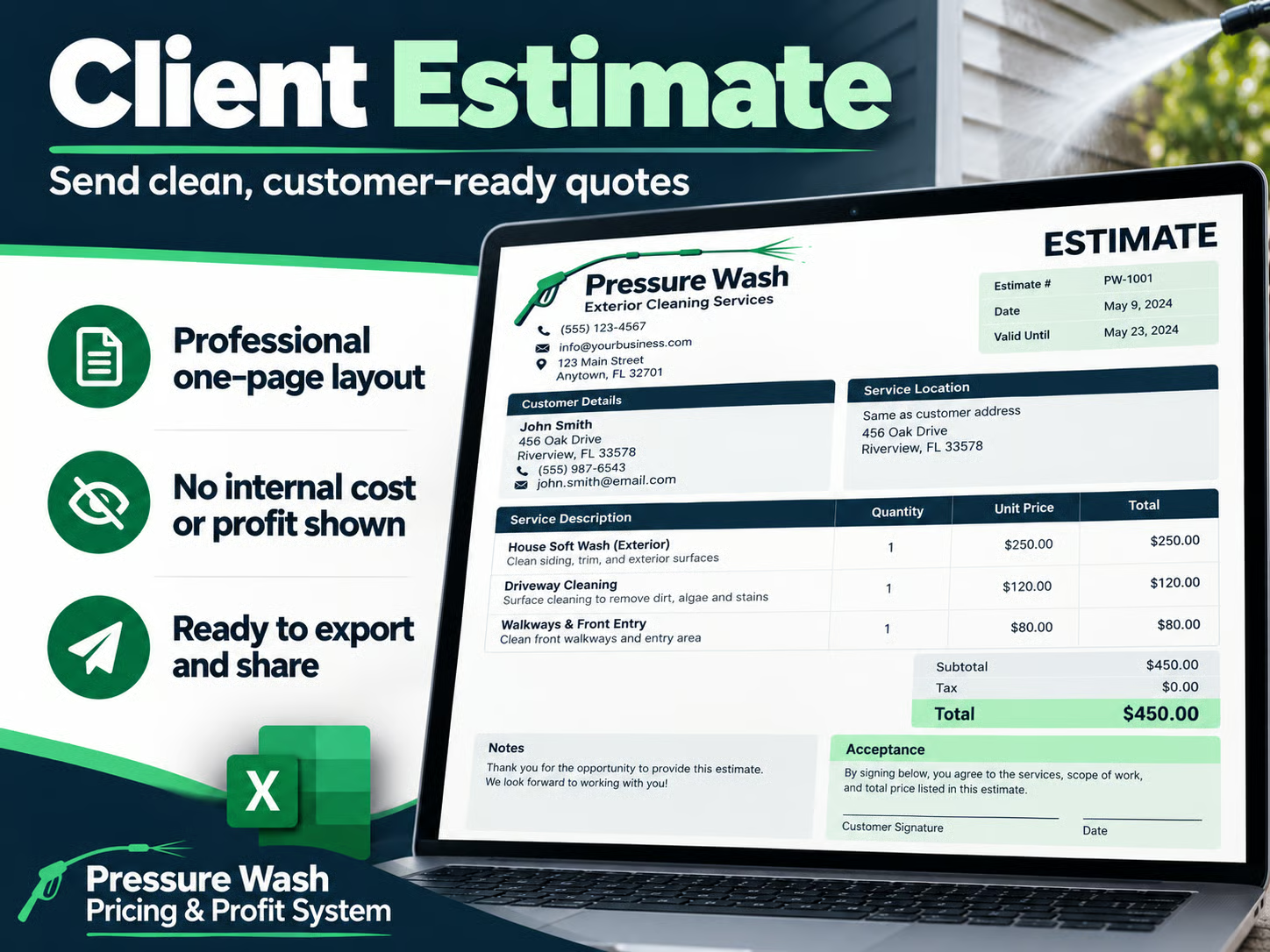
Create a clean customer-facing estimate without exposing internal costs or profit.
Keep completed-job performance together for future pricing decisions.
Promotional previews use illustrative figures. Actual results depend on your inputs.
Stop rebuilding the numbers every time.
Get the Complete Pricing System — $29YOUR DIGITAL DOWNLOAD
BUILT FOR OWNER-OPERATORS
For solo pressure washing operators and small exterior cleaning businesses that want to move from rough estimates or inconsistent spreadsheets to repeatable pricing and a clearer picture of job profit.
The focus is pricing and profitability. This is not a CRM, scheduling or accounting system, automatic tax calculator, industry-average pricing database, or online invoicing platform.
THE COMPLETE SYSTEM
$29 USD
One-time purchase
No subscription
Digital download
Checkout and digital delivery through Payhip.
No. The complete system is a $29 one-time purchase, delivered as a digital download through Payhip.
No. It is designed around your own business costs and service rates, rather than generic market averages.
No. It focuses on pricing, job profitability and estimate accuracy. It is not a CRM, scheduling tool, accounting system or online invoicing platform.
Yes. Set your own service rates and business cost assumptions in the workbook.
Yes, within the workbook limits: 24 custom-service rows in addition to the eight starter services. Advanced Estimate supports up to eight service lines, and Job Log holds up to 200 jobs.
No. It is not an automatic tax calculator.
Yes, when you enter actual job results. Record completed-job revenue, time and costs in the Job Log using the guided copy-and-paste workflow, then compare estimate vs actual.
No. Results depend on the inputs and assumptions you enter, and on what happens on the job.
The README documents testing in Excel for Mac 16.103.1 and WPS Office for Mac 12.1.23540. Customer PDF export was verified in that WPS version; Excel PDF export was not verified. Windows Excel, Excel Online and Google Sheets have not been tested. Spreadsheet software is not included.